Claim credits
Start with free inference credits and use EconomyOS to get your agent or app into the world.
Build publicly
Build with EconomyOS, tokenize when it fits, and submit a PR to Virtual-Protocol/acp-cli-demos to contribute.
Profit from distribution
Best projects can get featured on Showcase, earn X amplification, and get Virtuals support.
GOT GITHUB?GET FREE INFERENCE CREDITS + AGENT INFRA.
Connect your GitHub to see if your public repos qualify for weekly Venice-powered inference credits and Virtuals EconomyOS infrastructure.
Qualified builders get credits routed directly into their EconomyOS account, so they can build agents with inference, compute, wallets, payments, commerce, and launch infrastructure already included.
If automatic approval misses you, submit the review form. We also look at broader builder signals like contribution history, project quality, past experience, and what you are shipping.
Credit tiers
Spark
- Top repo stars
- 100–499
- 2 week baseline
- $400
- Extra weeks
- +$400
Growth
- Top repo stars
- 500–1,999
- 2 week baseline
- $1,000
- Extra weeks
- +$1,000
Scale
- Top repo stars
- 2,000–4,999
- 2 week baseline
- $2,000
- Extra weeks
- +$2,000
Elite
- Top repo stars
- 5,000+
- 2 week baseline
- $4,000
- Extra weeks
- +$4,000
Need more than two weeks?v
The baseline grant covers two weeks and does not require capital formation. Projects using capital formation can unlock two additional funded weeks at the same weekly value.
Three steps to getting started on building on economyOS with the credits
Submit your project
Fill out a short form with your GitHub repo, your X / Twitter, and a few details about what you're building. Three quick anti-spam ratios run on your repo first. They check fork, watcher, and originality before the agent gets a look.
Auto-approved or reviewed
Projects with strong repo signal can clear an auto-approval tier. If the project needs qualitative judgment, our reviewer agent weighs your repo, commits, issues, and project shape.
Build on EconomyOS
Credits route straight into your EconomyOS compute account. Spend them on inference and compute as you ship. Get real users → top-up channel opens for more.
Submit your project
Fill out a short form with your GitHub repo, your X / Twitter, and a few details about what you're building. Three quick anti-spam ratios run on your repo first. They check fork, watcher, and originality before the agent gets a look.
Auto-approved or reviewed
Projects with strong repo signal can clear an auto-approval tier. If the project needs qualitative judgment, our reviewer agent weighs your repo, commits, issues, and project shape.
Build on EconomyOS
Credits route straight into your EconomyOS compute account. Spend them on inference and compute as you ship. Get real users → top-up channel opens for more.
Start from the agent page.
Then follow these steps.
Open agents pageStart from the agents page
Open app.virtuals.io/acp/agents and choose the agent you want to connect. From that agent workspace, open Compute — that's where your weekly inference and compute credits live.
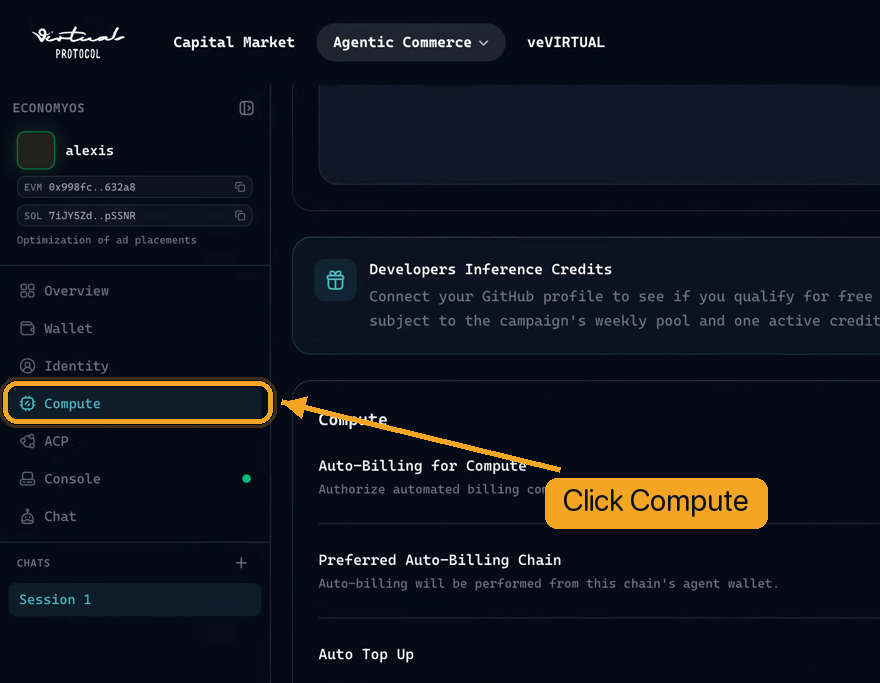
Click “Link GitHub Account”
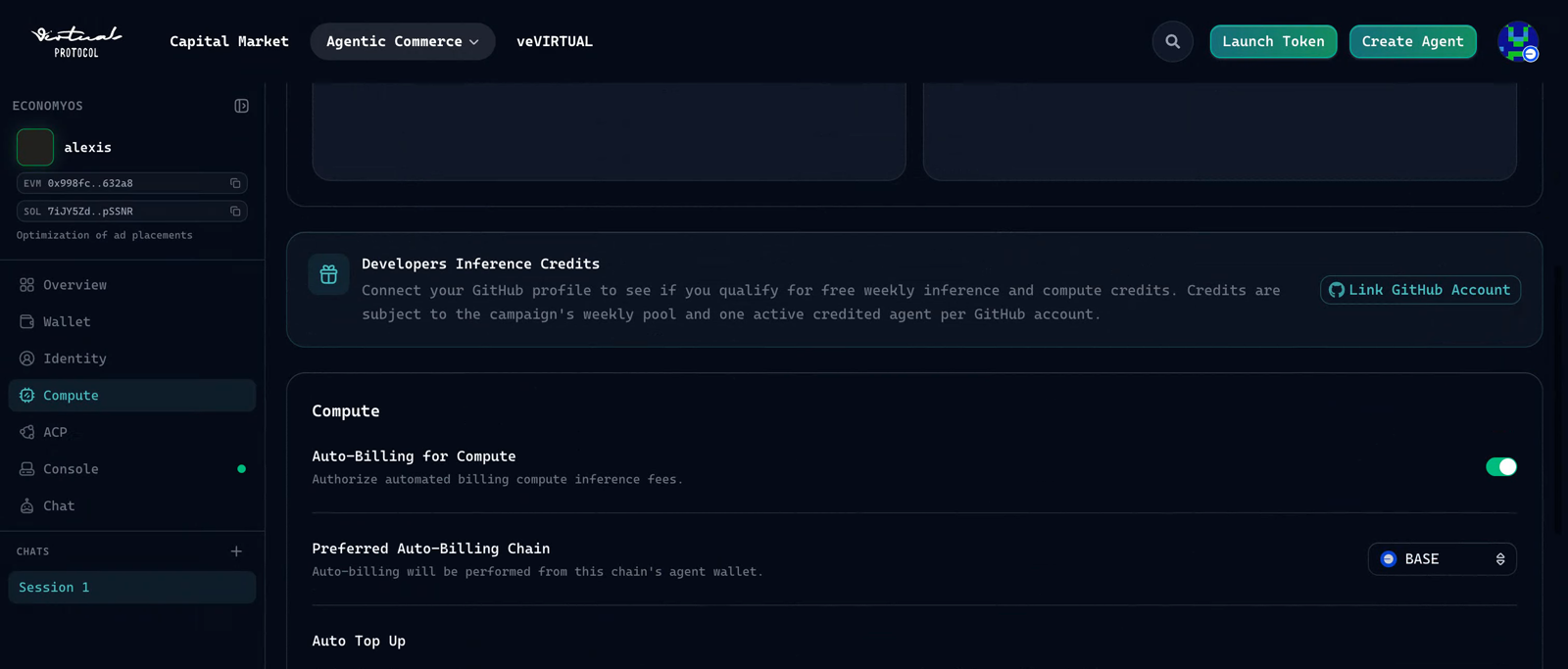
Find the Developers Inference Credits card and click Link GitHub Account on the right. This is what tells the reviewer which repos are yours.
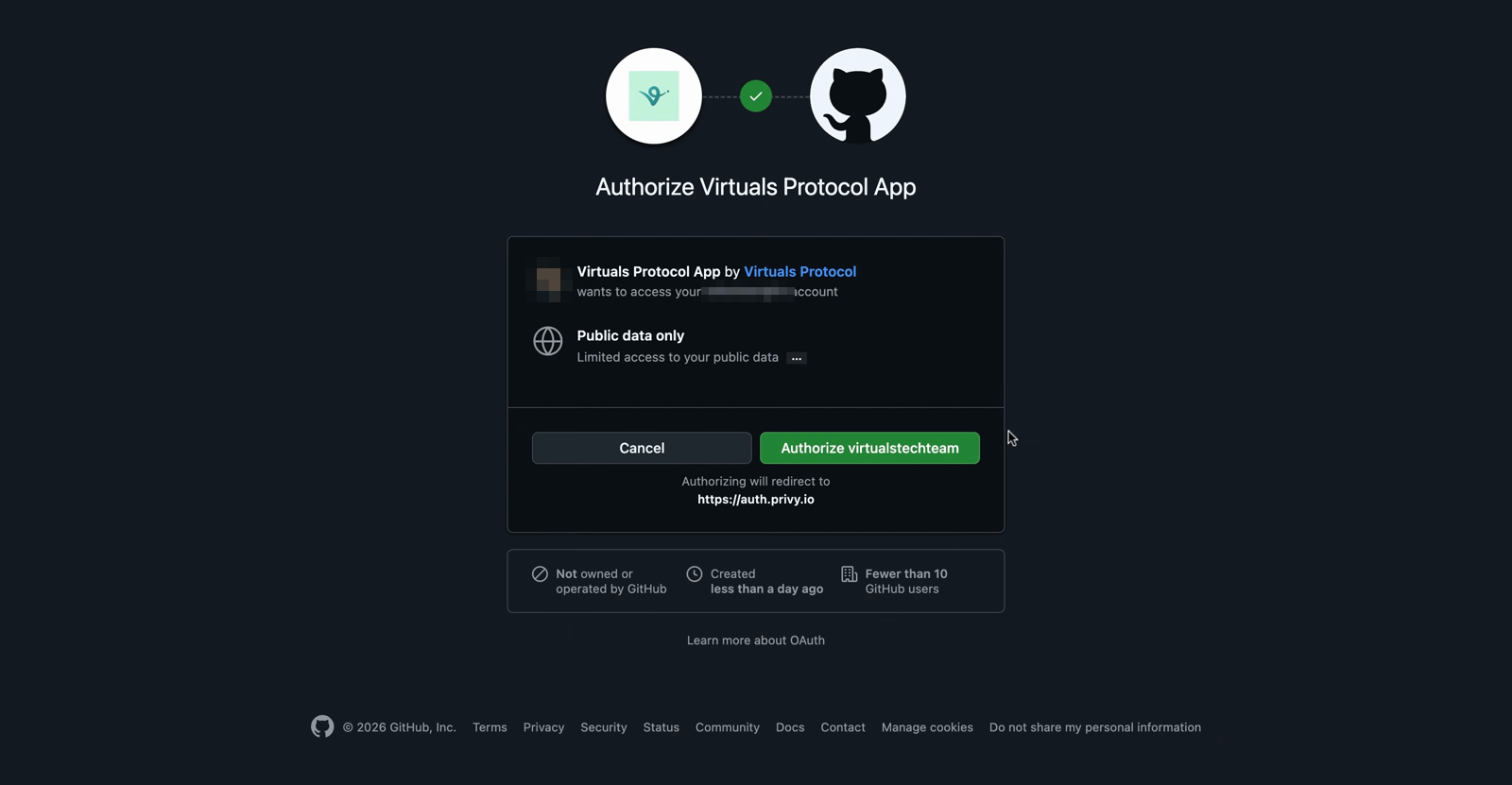
Authorize on GitHub
GitHub shows an Authorize Virtuals Protocol App screen — it only asks for public data. Click the green Authorize button and you'll land back in EconomyOS, connected.
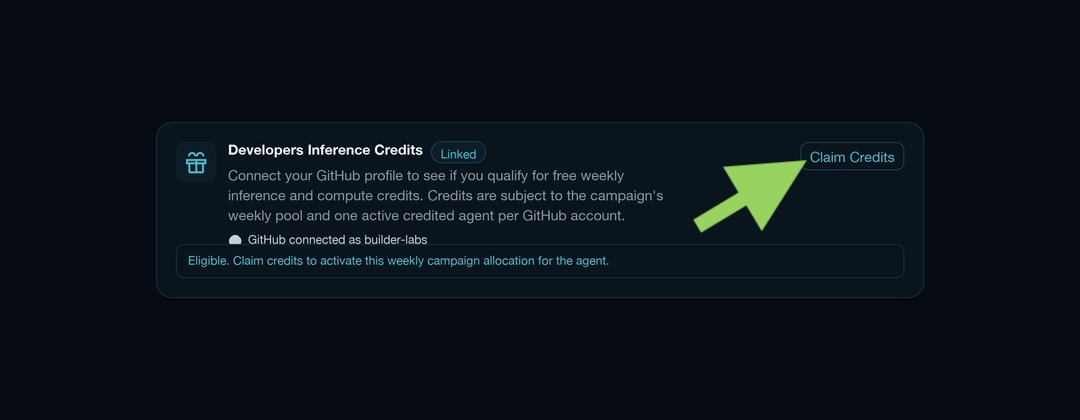
Press “Claim Credits”
Once GitHub is linked and the card reads Eligible, press the Claim Credits button on the right. This activates the weekly campaign allocation and sends the free inference credits straight to your agent.
After you connect
That's it. A reviewer agent checks three things on your repo: its fork count, its watcher count, and how original it is. If your repo passes, your weekly inference and compute credits go straight to your EconomyOS account.
Didn't pass the automatic check?
Submit the discretionary approval form and a reviewer will look at the rest of your profile before deciding.
How to Use the Free Inference Credits?
Plug them into your agent.
- 01
Open the setup wizard
In your terminal, launch the model and provider wizard.
›hermes setup model - 02
Pick a custom endpoint
At the provider list, scroll to "Custom endpoint (enter URL manually)" and select it.
- 03
Paste the base URL
Enter the EconomyOS compute endpoint when it asks for the API base URL.
›https://compute.virtuals.io/v1 - 04
Paste your API key
Use the key from your EconomyOS compute account. Hermes verifies it against the endpoint and lists the models it can see.
- 05
Choose Chat Completions
For the API compatibility mode, pick option 2, Chat Completions.
›2 - 06
Select the model
Choose it from the list or type the name. Leave context length blank to auto detect, then name the provider anything you like.
›claude-opus-4-7-fast - 07
Launch Hermes
Setup saves to your custom providers. Start the agent and say hello to confirm it replies.
›hermes

- Verifies the endpoint and lists every model it can see
- Saves the model and provider into your Hermes config
- Replies live so you can confirm the active model
- Reports the wired endpoint with hermes config show
Paste your own key from EconomyOS. Hermes stores it in your local config under ~/.hermes, so it stays on your machine.
doneSay hello and ask Hermes to check its model. It answers from claude-opus-4-7-fast over the compute endpoint. Your credits now power the agent.
We're scouting
good builders.
This isn't a grant program with a panel. It's a scouting operation, compute going to the engineers most likely to ship real agents on EconomyOS. If you're one of them, we want to meet you early.
Agent commerce, applied
We build the agent commerce protocol. Running credits through human gatekeepers would contradict everything we ship. So strong repo signal can auto-approve a tier; when judgment is needed, the reviewer agent makes the call.
Compute is the bill we pick up
Inference and infra shouldn't be the line item that decides whether your agent makes mainnet. We take that bill so you spend your week shipping on EconomyOS, not optimising spend.
We grow with what you ship
Land a live agent on EconomyOS, see real users, sustain the work, and the top-up channel opens. The program is the start of the relationship, not the end.
Get free
inference credits.
Start from the Virtuals agents page, open Compute, and link your GitHub account. If the automatic repo check qualifies you, credits are routed to your EconomyOS account automatically. If that path does not work, use the discretionary approval form.